







GitHub Copilot Review: Is It Worth It for Developers?
AI coding assistants are everywhere right now, but the biggest question most developers still ask is:
“Can GitHub Copilot actually save time, or is it just another AI hype tool?”
I had the same question before testing it seriously.
So I spent weeks using GitHub Copilot during real coding work — writing JavaScript functions, debugging React apps, generating Python scripts, and even helping with repetitive documentation tasks.
From my experience, GitHub Copilot is one of the most useful AI tools developers can add to their workflow today.
But it is not perfect.
Sometimes it feels magical. Other times, it generates code that looks correct but breaks everything.
In this detailed GitHub Copilot review, I’ll explain:
- What GitHub Copilot actually does
- How it works in real development projects
- Its best features
- Where it struggles
- Pricing and plans
- Pros and cons
- Whether it is truly worth paying for
If you are a beginner developer, freelancer, software engineer, or coding student, this review will help you decide if GitHub Copilot deserves a place in your toolkit.
What Is GitHub Copilot?
GitHub Copilot is an AI-powered coding assistant created by GitHub in partnership with OpenAI.
It works directly inside your code editor and helps generate code suggestions while you type.
Think of it like an AI pair programmer.
It can:
- Suggest full lines of code
- Autocomplete functions
- Generate boilerplate code
- Explain code
- Create tests
- Help debug errors
- Convert comments into code
- Generate documentation
When I first tested GitHub Copilot inside VS Code, I noticed the biggest advantage immediately:
It reduces repetitive coding work dramatically.
Instead of manually writing common patterns again and again, Copilot predicts what you want and generates it instantly.
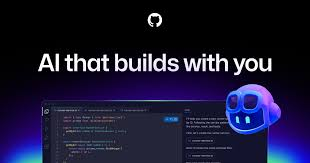
[Image: GitHub Copilot coding assistant inside VS Code]
Title: GitHub Copilot AI Coding Assistant Interface
Alt Text: GitHub Copilot generating AI code suggestions inside Visual Studio Code
Description: This image shows GitHub Copilot helping developers write code automatically inside the VS Code editor.
How GitHub Copilot Works
GitHub Copilot uses large AI language models trained on massive amounts of publicly available code and programming patterns.
When you type something like:
// create a login form validation function
Copilot instantly suggests actual working code below the comment.
From my testing, the better your comments and context are, the better the results become.
For example:
- Simple comments → average suggestions
- Detailed comments → surprisingly accurate code
This is why experienced developers usually get more value from Copilot than complete beginners.
It understands:
- File context
- Variable names
- Functions
- Comments
- Framework patterns
- Existing project structure
That contextual awareness is what makes it feel intelligent.
Supported IDEs and Languages
One thing I genuinely liked is how widely GitHub Copilot works across development tools.
It supports:
- Visual Studio Code
- JetBrains IDEs
- Neovim
- Visual Studio
- GitHub itself
And it works with languages like:
- JavaScript
- Python
- TypeScript
- PHP
- Go
- Java
- C#
- Ruby
- C++
- HTML/CSS
I tested it mostly with:
- React
- Next.js
- Node.js
- Python automation scripts
The experience was strongest in JavaScript and Python.
GitHub Copilot Features
1. AI Code Completion
This is the core feature.
Copilot predicts code as you type.
Sometimes it completes entire functions after just one line.
When I was building API routes in Node.js, it generated repetitive backend logic incredibly fast.
For boilerplate-heavy tasks, this alone saves hours every week.
[Image: GitHub Copilot autocomplete suggestions]
Title: GitHub Copilot AI Autocomplete Feature
Alt Text: GitHub Copilot suggesting JavaScript code automatically while typing
Description: This image demonstrates GitHub Copilot generating smart autocomplete coding suggestions in real time.
2. Comment to Code Generation
This feature feels almost unreal at first.
You write a plain English comment like:
# create a function to resize uploaded images
And Copilot generates the function.
From my experience, this works best for:
- Utility functions
- CRUD operations
- APIs
- Repetitive logic
- Data formatting
It struggles more with highly unique business logic.
Still, it is extremely useful.
3. AI Chat Assistant
GitHub Copilot now includes chat functionality similar to AI chatbots.
You can ask questions like:
- “Why is this function failing?”
- “Optimize this code”
- “Explain this regex”
- “Write tests for this component”
This turned out to be more valuable than I expected.
Instead of switching to Google or Stack Overflow constantly, I could solve many coding issues directly inside the editor.
4. Test Generation
Writing tests is one of the most boring tasks for many developers.
Copilot helps generate:
- Unit tests
- Mock functions
- Test cases
- Assertions
When I tested this with React components, it saved significant time creating repetitive test structures.
The generated tests still needed review, but they provided a strong starting point.
5. Documentation Assistance
Another underrated feature.
Copilot can generate:
- Function descriptions
- Code comments
- README sections
- API explanations
This is extremely helpful when documenting large projects.
[Image: GitHub Copilot generating code documentation]
Title: GitHub Copilot Documentation Generator
Alt Text: GitHub Copilot creating automatic code comments and documentation
Description: This image shows GitHub Copilot helping developers generate documentation and explain code automatically.
Real Experience Using GitHub Copilot
After using it daily, I noticed GitHub Copilot changes how developers work mentally.
Instead of focusing on syntax constantly, you focus more on logic and structure.
That is a huge productivity shift.
Where It Helped Me Most
Repetitive Coding
This is where Copilot shines.
Examples:
- Form validation
- API handlers
- Database queries
- CRUD operations
- UI boilerplate
- Reusable utility functions
Tasks that normally feel tedious become much faster.
Learning New Frameworks
When testing unfamiliar libraries, Copilot often suggested proper syntax automatically.
For example, while experimenting with unfamiliar Python libraries, it generated working examples surprisingly well.
This makes learning smoother for developers.
Debugging Support
Copilot chat sometimes explained bugs faster than searching forums manually.
Not always perfectly, but often good enough to point me in the right direction.
Where GitHub Copilot Struggles
Despite the hype, GitHub Copilot absolutely has limitations.
It Can Generate Incorrect Code
This is the biggest problem.
Sometimes Copilot writes code that looks professional but contains:
- Logic bugs
- Security risks
- Deprecated methods
- Inefficient patterns
Beginners may trust the output too much.
That is dangerous.
You still need real programming knowledge.
Complex Architecture Tasks
Copilot is less impressive for:
- Advanced system design
- Large application architecture
- Complex algorithms
- Highly custom business logic
It helps more with implementation than high-level engineering decisions.
Repetitive Suggestions
Occasionally it gets stuck suggesting similar patterns repeatedly.
This happens especially in larger files.
Privacy Concerns
Some developers worry about AI models trained on public code.
Enterprise users especially may care about:
- Data handling
- Licensing concerns
- Security policies
Large teams should review GitHub’s policies carefully before adoption.
GitHub Copilot Pricing
GitHub Copilot offers multiple pricing tiers.
Free Plan
The free plan is surprisingly decent for casual users.
Good for:
- Students
- Beginners
- Learning projects
But usage limits exist.
Individual Plan
The paid individual plan is affordable for professional developers.
If coding is part of your daily work, the time savings can justify the cost quickly.
Business and Enterprise Plans
These include:
- Organization controls
- Policy management
- Enhanced security
- Team features
Best suited for companies and development teams.
You can check latest pricing directly on the official GitHub website.
[Image: GitHub Copilot pricing and plans page]
Title: GitHub Copilot Pricing Plans
Alt Text: GitHub Copilot subscription pricing for developers and teams
Description: This image displays GitHub Copilot pricing options including free, individual, and enterprise developer plans.
GitHub Copilot Pros and Cons
Pros
Huge Productivity Boost
This is the biggest advantage.
For repetitive coding, it genuinely saves time.
Beginner Friendly
New developers can learn coding patterns faster.
Excellent VS Code Integration
The experience inside VS Code feels smooth and natural.
Strong Language Support
Works well across many modern programming languages.
Helpful AI Chat
The built-in AI assistant reduces constant Google searching.
Cons
Sometimes Incorrect
AI-generated code still needs careful review.
Can Create Dependency
Some developers may rely too heavily on AI suggestions.
Weak for Advanced Architecture
Not ideal for high-level engineering design.
Occasional Irrelevant Suggestions
Suggestions can become repetitive or off-topic.
Is GitHub Copilot Good for Beginners?
Yes — but with caution.
I think beginners can learn faster using Copilot because they see:
- Function structures
- Syntax patterns
- Real examples
- Framework usage
However, there is also a major risk:
Beginners may copy code without understanding it.
That slows long-term learning.
My recommendation:
Use Copilot as a learning assistant, not a replacement for learning programming fundamentals.
GitHub Copilot vs ChatGPT
A lot of developers compare GitHub Copilot with ChatGPT.
After using both extensively, here is the difference I noticed:
| Feature | GitHub Copilot | ChatGPT |
|---|---|---|
| IDE Integration | Excellent | Limited |
| Real-Time Suggestions | Yes | No |
| Long Explanations | Limited | Excellent |
| Debugging Help | Good | Very Good |
| Productivity | Excellent | Good |
| Learning Concepts | Moderate | Excellent |
In reality, many developers use both together.
Copilot helps during coding.
ChatGPT helps with explanations, planning, and troubleshooting.
Who Should Use GitHub Copilot?
GitHub Copilot is ideal for:
- Freelance developers
- Web developers
- Backend engineers
- Students
- SaaS builders
- Startup teams
- JavaScript developers
- Python developers
It is especially useful if you:
- Write repetitive code often
- Build APIs
- Create frontend components
- Work with frameworks daily
Who Should Avoid It?
GitHub Copilot may not be necessary if:
- You rarely code
- You are still learning absolute basics
- You prefer manual coding practice
- Your company restricts AI coding tools
Some senior developers also prefer full manual control over implementation.
[Image: Developer using GitHub Copilot during coding workflow]
Title: Developer Workflow With GitHub Copilot
Alt Text: Software developer using GitHub Copilot for faster coding productivity
Description: This image shows a developer using GitHub Copilot to speed up software development and automate repetitive coding tasks.
Practical Tips for Using GitHub Copilot Effectively
After weeks of testing, these strategies improved results significantly.
Write Better Comments
Detailed prompts produce better code.
Bad example:
// make function
Better example:
// create async function to fetch user data from REST API with error handling
The difference in output quality is huge.
Always Review Generated Code
Never blindly trust AI-generated code.
Check for:
- Security issues
- Logic errors
- Performance problems
This is extremely important.
Use It for Boilerplate Work
Copilot works best for repetitive development tasks.
Use your own skills for architecture and critical decisions.
Combine With Real Learning
Do not let AI replace programming fundamentals.
Study why generated code works.
That is how you actually improve as a developer.
FAQ
Is GitHub Copilot free?
GitHub Copilot offers a free version with limitations, plus paid plans for individuals and businesses.
Does GitHub Copilot work offline?
No. It requires an internet connection because AI suggestions are generated through cloud-based models.
Is GitHub Copilot good for Python?
Yes. From my testing, Python support is actually one of its strongest areas.
Can GitHub Copilot replace developers?
No. It improves productivity but still requires human developers for logic, architecture, and decision-making.
Is GitHub Copilot safe to use?
Generally yes, but developers should always review generated code carefully for bugs or security risks.
Does GitHub Copilot work with VS Code?
Yes. VS Code integration is one of the best parts of the entire experience.
Final Verdict: Is GitHub Copilot Worth It?
After using GitHub Copilot extensively, I can confidently say:
Yes — for many developers, it is worth it.
Especially if you:
- Code daily
- Build repetitive features
- Work with APIs
- Use JavaScript or Python heavily
- Want faster development workflows
The productivity boost is real.
But GitHub Copilot is not magic.
It still makes mistakes.
The best developers will use it as a productivity assistant — not as a replacement for actual coding knowledge.
From my experience, the ideal mindset is:
“Let AI handle repetitive tasks while you focus on solving real problems.”
That balance is where GitHub Copilot becomes genuinely powerful.
A lot of beginners ask: