


pika-labs-ai-review
Pika Labs AI Review: Can It Create Real Videos?
AI video generation tools are everywhere right now, but most of them still struggle with one big problem: creating videos that actually look real and usable.
That’s exactly why I decided to test Pika Labs myself.
Over the last few weeks, I used it to generate cinematic clips, social media shorts, animated scenes, and even product-style videos to see whether the hype is real or just another AI trend. Some results honestly surprised me, while others still felt unfinished.
If you’re wondering whether Pika Labs AI is worth using in 2026, this review will help you understand:
- How Pika Labs works
- Whether it can create realistic videos
- Its strengths and weaknesses
- Pricing and limitations
- Who should actually use it
By the end, you’ll know if this AI video generator is good enough for your workflow or just another experimental tool.
What Is Pika Labs AI?

[Image: Pika Labs AI dashboard interface]
Title: Pika Labs AI Video Generation Dashboard
Alt Text: pika-labs-ai-review
Description: This image shows the main Pika Labs interface used to generate AI videos from prompts and images.
Pika Labs is an AI-powered video generation platform that allows users to create videos using text prompts, images, and animation tools.
Instead of spending hours editing videos manually, you can simply type a description like:
“A futuristic city at night with flying cars and cinematic lighting”
…and the AI creates a short video clip automatically.
From my experience, Pika Labs focuses heavily on creativity and cinematic visuals rather than professional editing workflows. It feels more like a creative AI studio than a traditional video editor.
The platform became popular because of its:
- Text-to-video generation
- AI animation features
- Stylized cinematic outputs
- Easy-to-use interface
- Fast rendering speed
A lot of creators now compare it with:
But Pika Labs has its own style and strengths.
How Pika Labs AI Works
The platform is surprisingly beginner-friendly.
When I tested it for the first time, I expected a complicated setup, but the process was simple:
Step 1: Enter a Prompt
You describe the scene you want.
Example prompts:
- “A realistic astronaut walking on Mars”
- “Anime-style girl in neon Tokyo rain”
- “Luxury car driving through mountains”
The more detailed your prompt is, the better the output usually becomes.
Step 2: Choose Style & Motion
Pika Labs lets you adjust:
- Camera movement
- Animation strength
- Video style
- Aspect ratio
- Motion intensity
This helps create more cinematic results.
Step 3: Generate the Video
The AI processes your request and generates a short clip.
From my testing, render times were faster than many competitors. Most clips generated within a couple of minutes.
Step 4: Download or Edit
You can:
- Regenerate scenes
- Extend clips
- Improve prompts
- Export videos
This makes experimentation very easy.
Can Pika Labs Create Realistic Videos?

[Image: realistic AI generated cinematic scene]
Title: Realistic AI Video Scene Created with Pika Labs
Alt Text: AI-generated cinematic environment showing realistic lighting and motion effects
Description: This image demonstrates the type of realistic cinematic visuals Pika Labs AI can create from detailed prompts.
This is the biggest question most people have.
And honestly, the answer is:
Yes — but with limitations.
When I tested realistic prompts, Pika Labs produced surprisingly cinematic scenes with:
- Good lighting
- Smooth camera motion
- Impressive visual atmosphere
- Creative transitions
Landscape shots and stylized scenes looked especially good.
However, human realism is still inconsistent.
Sometimes:
- Faces become distorted
- Hand movements look unnatural
- Motion physics feel odd
- Lip syncing is imperfect
This is common with many AI video tools right now.
What Pika Labs Does Well
From my experience, it performs best with:
- Cinematic environments
- Fantasy scenes
- Sci-fi visuals
- Anime-style videos
- Artistic storytelling
- Mood-based clips
Where It Still Struggles
It still has trouble with:
- Long realistic scenes
- Detailed facial expressions
- Complex action movement
- Perfect human anatomy
- Consistent characters
So if you expect Hollywood-level realism, you may still notice AI artifacts.
But for content creation, social media, storytelling, and creative projects, the quality is genuinely impressive.
Pika Labs AI Features
1. Text-to-Video Generation
This is the main feature.
You type a prompt, and the AI creates a video automatically.
The best part is how creative the engine feels compared to older AI tools.
I noticed that cinematic prompts usually produce the strongest results.
2. Image-to-Video Animation
[Image: AI image animation example]
Title: Pika Labs Image-to-Video Animation Feature
Alt Text: Pika Labs AI converting a static image into animated cinematic video
Description: This image shows how Pika Labs can animate still images into moving cinematic scenes.
You can upload an image and animate it into a moving scene.
This feature works very well for:
- Thumbnails
- Concept art
- Digital illustrations
- AI-generated images
- Product showcases
When I tried animating landscape photos, the results looked surprisingly cinematic.
3. Camera Motion Controls
One feature I genuinely liked was camera movement customization.
You can simulate:
- Zoom effects
- Panning shots
- Cinematic tracking
- Dynamic movement
This helps videos feel less static.
Many AI generators ignore this completely.
4. AI Style Effects
Pika Labs supports multiple visual styles including:
- Realistic
- Anime
- Cartoon
- Fantasy
- Cinematic
- Surreal
This flexibility is useful for creators targeting different audiences.
5. Fast Rendering Speed
Compared to several AI video platforms I tested, Pika Labs felt relatively fast.
That matters because some AI video tools take forever to process even short clips.
Fast rendering makes experimentation easier.
Pika Labs AI Pricing
[Image: Pika Labs pricing plans]
Title: Pika Labs AI Pricing and Subscription Plans
Alt Text: Pika Labs AI subscription pricing interface for video generation plans
Description: This image shows the subscription structure and premium features available inside Pika Labs AI.
At the time I tested the platform, Pika Labs offered both free and premium options.
The free plan is useful for beginners who want to experiment before paying.
However, the limitations become noticeable quickly.
Typical restrictions include:
- Watermarks
- Limited credits
- Lower generation limits
- Slower processing during busy hours
Premium plans unlock:
- More generations
- Better quality
- Faster rendering
- Advanced tools
For casual users, the free version is enough to learn the platform.
For creators producing regular content, a paid plan makes more sense.
You can check current pricing directly on Pika Labs Official Website because AI tool pricing changes frequently.
Pika Labs AI Pros and Cons
Pros
- Beginner-friendly interface
- Fast AI video generation
- Cinematic visual quality
- Excellent for creative storytelling
- Strong animation effects
- Fun experimentation experience
- Great for social media content
- No advanced editing skills required
Cons
- Realistic humans still imperfect
- Short video duration limits
- Prompt quality heavily affects output
- Free plan restrictions
- Some generations feel inconsistent
- Not ideal for professional film production
My Real Experience Using Pika Labs
After testing Pika Labs for multiple projects, I think the platform shines most in creative workflows rather than commercial filmmaking.
When I created cinematic fantasy scenes, the results looked genuinely impressive.
But when I attempted ultra-realistic human scenes, I noticed:
- Facial inconsistencies
- Weird hand movements
- Flickering details
That said, I still found it incredibly useful for:
- YouTube B-roll
- Social media reels
- AI storytelling
- Creative concept videos
- Marketing experiments
One thing I really liked was how easy it felt compared to traditional editing software.
You don’t need advanced editing experience to start generating interesting visuals.
For beginners, that’s a huge advantage.
Who Should Use Pika Labs AI?
Best For:
- YouTubers
- Social media creators
- Digital artists
- AI enthusiasts
- Short-form video creators
- Creative storytellers
- Marketing content creators
Not Ideal For:
- Hollywood-level production
- Advanced commercial filmmaking
- Highly accurate human realism
- Long documentary-style editing
Pika Labs vs Other AI Video Tools
Pika Labs vs Runway ML
Runway ML feels more professional for editing workflows.
Pika Labs feels more creative and experimental.
If you want cinematic AI visuals quickly, Pika Labs is easier for beginners.
Pika Labs vs Kaiber AI
Kaiber AI focuses heavily on artistic visuals and music video styles.
Pika Labs generally feels smoother for cinematic prompts.
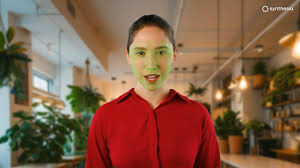
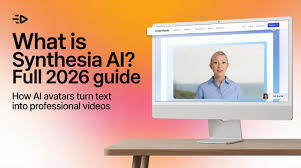
Pika Labs vs Synthesia
Synthesia specializes in AI avatars and presentation videos.
Pika Labs is more focused on creative scene generation.
Practical Tips for Better Pika Labs Results
After testing many prompts, here are some tips that improved my outputs significantly.
Use Detailed Prompts
Instead of:
“A city at night”
Try:
“A cinematic futuristic city at night with neon lights, rain reflections, and slow camera movement”
Detailed prompts create better scenes.
Focus on Cinematic Descriptions
Words like:
- Cinematic
- Dramatic lighting
- Realistic shadows
- Ultra detailed
- Slow motion
…often improve visual quality.
Avoid Complex Human Actions
The AI still struggles with:
- Fighting scenes
- Dancing
- Crowded environments
- Detailed hand interactions
Simpler movement works better.
Experiment Multiple Times
One thing I learned quickly:
AI video generation is unpredictable.
Sometimes the second or third generation looks dramatically better than the first.
FAQ About Pika Labs AI
Is Pika Labs free to use?
Yes, Pika Labs offers a free plan, but it comes with generation limits and watermarks.
Can Pika Labs create realistic humans?
It can create semi-realistic humans, but facial consistency and movement still have limitations.
Is Pika Labs good for YouTube videos?
Yes, especially for:
- B-roll footage
- AI storytelling
- Intros
- Visual effects
- Creative cinematic scenes
Does Pika Labs require editing skills?
No. The interface is beginner-friendly and easy to learn.
Is Pika Labs better than Runway ML?
It depends on your goal.
Pika Labs is stronger for creative cinematic generation, while Runway ML is often better for professional editing workflows.
Can Pika Labs generate long videos?
Currently, it works best for shorter clips rather than long-form productions.
Final Verdict: Is Pika Labs AI Worth It?
After spending time testing Pika Labs AI myself, I think it’s one of the most exciting AI video generators available right now for creative users.
It’s not perfect.
Human realism still needs improvement, and some outputs can feel inconsistent.
But for:
- Creative storytelling
- Social media videos
- Cinematic visuals
- AI experimentation
- Short-form content
…it delivers surprisingly impressive results.
What stood out most to me was how easy it made video creation. You can go from an idea to a cinematic clip in minutes without advanced editing knowledge.
If you’re a creator who enjoys experimenting with AI tools, Pika Labs is definitely worth trying.
For beginners especially, it’s one of the easiest AI video platforms to start with in 2026.